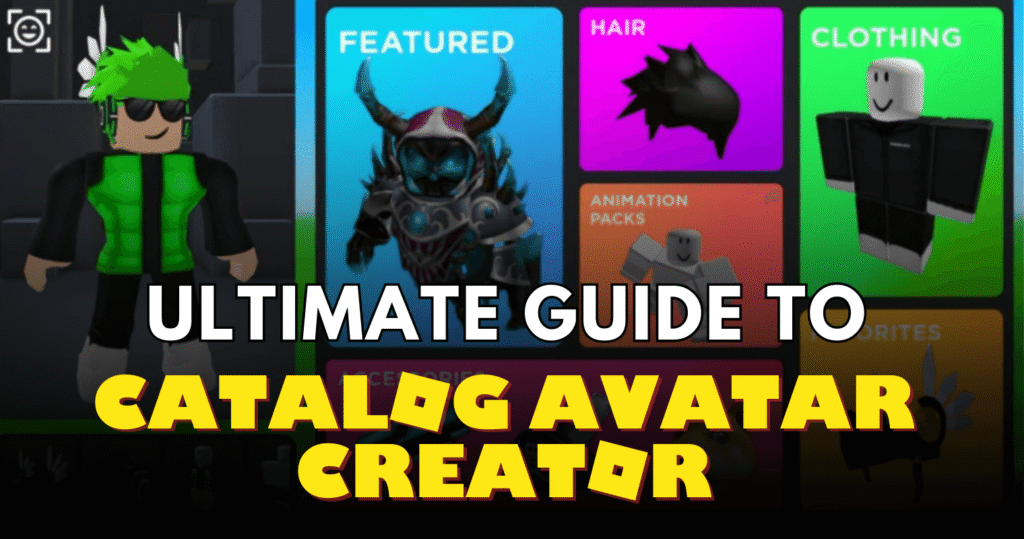
Catalog Avatar Creator is Roblox’s ultimate free avatar editor, letting you try on millions of catalog items, limiteds, UGC accessories, bundles, and more without spending a single Robux. Developed as a creative sandbox by Muneeb (itsMuneeeb), it turns a simple blank world into your personal fashion studio where you can layer outfits, fine-tune every accessory, pose with clones, and share creations instantly.
This guide covers everything from your first outfit to pro-level editing tricks, hidden commands, community features, and ways to stand out in the massive 23M+ member group. Whether you’re a total beginner who just wants to test expensive limiteds or an aspiring outfit designer hunting for badges and roles, you’ll find step-by-step instructions, efficiency tips, and insider details that basic tutorials miss.
By the end, you’ll create show-stopping avatars faster, avoid common frustrations like clipping, and know exactly how to turn your ideas into shareable community outfits that thousands can load.
Game Information
| Detail | Information |
|---|---|
| Game Name | Catalog Avatar Creator |
| Developer | Muneeb (itsMuneeeb) |
| Platform | Roblox |
| Genre | Shopping / Avatar Shopping |
| Release Date | July 3, 2021 |
| Players | Multiplayer (24 per server) |
Getting Started
Joining is instant—just search “Catalog Avatar Creator” in Roblox and hit Play. The UI pops up automatically with tabs for Catalog, Stores, Community Outfits, and more. For the best experience, start in a private server right away: type /private or /vip in chat. It’s completely free and keeps the space clutter-free so you can edit without interruptions.
Essential first steps:
- Click the Catalog tab and browse any category—hats, faces, clothing, accessories, or limiteds. Click an item to equip it instantly.
- Join the official group (link in-game or roblox.com/groups/15102943) for community access, role updates, and occasional free UGC drops.
- Open Settings (bottom-right gear) and tweak Environment for your favorite map, time of day, or gravity.
- Test the edit tool (wrench icon): select any accessory and drag to reposition, rotate, or resize it.
Quick tip for beginners: Search “Free” in Stores to grab no-cost UGC pieces immediately. No Robux required for core features—everything you try on is risk-free.
Progression & Leveling Roadmap
There are no levels, waves, or rebirths—progression is creative and community-driven. Focus on these milestones for efficient growth:
- Beginner (0–1 hour): Master basic try-ons and simple layering. Create your first outfit and save it.
- Intermediate (1–10 hours): Learn advanced editing (tilt torso before layering hand/leg items). Publish 5–10 outfits to Community Outfits and collect feedback.
- Advanced (10+ hours): Chain commands for pro setups, export to Roblox Studio (/export), and aim for group roles. Publish full stores or complex layered looks.
- Endgame: Earn badges like “Catalog Avatar Creator” and “Avatar Customizer,” climb group roles (Outfit Designer after 100K+ try-ons on your publishes), and become a UGC Creator by opening your own store.
Farming method? Publish high-quality outfits consistently—each load by others boosts your visibility and role progress. Private servers speed this up dramatically.
Core Gameplay Mechanics
The game revolves around three pillars:
- Catalog & Stores: Full Roblox marketplace plus curated community collections. Try anything, including bundles and animation packs.
- Editing Tools: Select any equipped item and use the wrench to adjust position, rotation, scale, transparency, reflectance, or even custom textures. Tilt body parts first to prevent clipping—small 0.1 increments work best.
- Settings Menu: Deep customization via tabs:
- Player (rig type, speed)
- Environment (map selection, time, lighting, gravity)
- Catalog (filters and limits)
- Camera & Lighting (photo studio mode)
- General and Extra Categories
Outfit Loader & Saved Outfits: Load any community code or save your current look for later.
Everything is intuitive on both PC and mobile—PC uses mouse drag for editing; mobile uses pinch-to-scale and drag handles.
Special Systems & Resources
- Community Outfits: Over 30 million user-created looks. Open the tab, paste a code (example: 1560E9), and load the entire avatar instantly—including scales and layers.
- UGC Stores: Browse creator shops inside the game. Many offer free or cheap limiteds.
- Clones & Booths: Type /clone or /npc to summon copies for group poses. /booth creates an editable display stand.
- Saved Outfits & Outfit Loader: Store your creations locally and share codes publicly.
No traditional resources or multipliers, but publishing outfits acts as “currency” for group recognition and visibility.
Maps, Stages, & Progression Unlocks
Spawn in a default blank map, then switch instantly via Environment Settings. Multiple themed maps exist for different vibes—studio, outdoor, or minimalist. No locked stages; everything unlocks through exploration and commands.
Limited-time events (like past Hunt collaborations) add special badges and temporary game modes with swords, bows, and team battles. Check the group or Discord for announcements. New catalog items appear automatically as Roblox updates them.
Tips, Strategies & Best Practices
- Efficiency: Always start in private servers. Chain commands like /r15 /clone /booth for instant showcases.
- Avoid Clipping: Equip body accessories first, tilt the torso/arms/legs, then layer. Use small adjustments.
- Mobile Mastery: Tap accessory → use on-screen handles. Switch to portrait mode with /portrait if needed.
- Resource Balancing: No economy, but prioritize publishing early—feedback helps you improve faster.
- Risk Management: Test wild layers on clones before committing. Use /clear to clean chat spam.
- Prioritization: Focus on one body part at a time. Search “Free” UGC first, then layer premium limiteds.
Pro strategy: Use the photo studio mode for thumbnails, then export outfits for Roblox Studio projects.
Events, Schedules & Special Spawns
Events are community-driven and announced via the official group and Discord. Past highlights include The Hunt (team battles, Capture the Flag, badges) and free UGC limited drops. Codes for limited items sometimes appear during milestones or holidays—redeem them quickly as stock is limited.
Check in-game announcements or the group wall for multipliers on visibility or special outfit features. No fixed schedule, but major Roblox updates (new layers, PBR accessories) instantly appear here first.
Combat Paths, Styles, or Masteries (Event-Only)
Core gameplay is creative, not combat-focused. During special events like The Hunt, temporary weapons (sword, bow, healing staff) and modes (Capture the Flag or Team Deathmatch) appear. Master quick rolls (Q key) and positioning to win rounds. These are fun side activities but not required for main progression.
Additional Important Game Data
Hidden mechanics make the game shine:
- Type /cmds or /commands for the full list anytime.
- /export packages your avatar for Roblox Studio use.
- /self or /ref for quick profile/reference views.
- Rig switching (/r6 or /r15) fixes layering issues instantly.
- No inventory limits—purchases go straight to your real Roblox account and work everywhere.
- Badges: “Catalog Avatar Creator” (easy participation) and “Avatar Customizer” (advanced editing mastery). Event badges are rarer.
- Group roles (Member → UGC Creator) reward activity: buys, published try-ons, and store creation.
- No diminishing returns or stat caps—creativity is infinite.
- Update pattern: New Roblox catalog items sync instantly; major UI or PBR updates happen a few times per year.
- Trading: Share codes or buy items that transfer to inventory—no direct player trading needed.
These details separate casual users from power creators.
Frequently Asked Questions
How do I load a community outfit code?
Open the Community Outfits tab, paste the code, and hit Load. It applies everything instantly.
Do in-game purchases actually give me the items?
Yes—every purchase adds directly to your Roblox inventory and works in every game.
How do I get a private server?
Type /private or /vip in chat. It’s free and instant.
Can I edit accessories on mobile?
Absolutely—tap the item, then drag handles or pinch to scale/rotate.
What do group roles actually do?
They unlock recognition, badges, and sometimes early access to new features or free UGC. Earn them by publishing and getting try-ons.
How do I export my avatar to Roblox Studio?
Type /export in chat for a ready-to-use package.
Are there any paywalls or gamepasses required?
No—core editing, catalog, and community features are 100% free.
Personal Gameplay Observation
After hundreds of hours perfecting outfits here, the real magic happens when you stop chasing trends and start experimenting with wild layering and custom textures. One tiny torso tilt can turn a good look into a legendary one—patience and private servers changed everything for me.